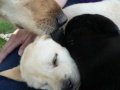
Besvaret Januar 2, 200917 år comment_102753 Azza og Liva mødtes i dag for en hyggetur i Ribe [ATTACH]4978[/ATTACH] [ATTACH]4979[/ATTACH] [ATTACH]4980[/ATTACH] [ATTACH]4981[/ATTACH] [ATTACH]4982[/ATTACH] Rapporter
Besvaret Januar 2, 200917 år Forfatter comment_102755 [ATTACH]4983[/ATTACH] [ATTACH]4984[/ATTACH] [ATTACH]4985[/ATTACH] [ATTACH]4986[/ATTACH] og nu ligger Liva "død" på køkkengulvet Rapporter
Besvaret Januar 12, 200917 år comment_108865 Hehe Så vidt jeg kender Azza, vil jeg da tro hun var en glad hund resten af dagen .. Men det må Camilla jo vide . Ser virkelig ud som om de hyggede sig ^^ Rapporter
Besvaret Januar 12, 200917 år comment_108880 skønne billeder kan se liva laver "kravle-som-en-ninja" for at hilse, gør/prøver også når de andre hunde holder sig lidt på afstand, så kan måske kravle i stilhed frem og hilse Rapporter
Besvaret Januar 13, 200917 år Forfatter comment_109078 Nemlig og når de så er kommet tæt nok på, så laver hun sit "trold ud af en æske"-trick og hopper lige op i hovedet på dem Rapporter




Join the conversation
You can post now and register later. If you have an account, sign in now to post with your account.