Hop til indhold
View in the app

A better way to browse. Learn more.

Hunde-forum.dk

A full-screen app on your home screen with push notifications, badges and more.

To install this app on iOS and iPadOS
  1. Tap the Share icon in Safari
  2. Scroll the menu and tap Add to Home Screen.
  3. Tap Add in the top-right corner.
To install this app on Android
  1. Tap the 3-dot menu (⋮) in the top-right corner of the browser.
  2. Tap Add to Home screen or Install app.
  3. Confirm by tapping Install.

Löwchen-træf

Featured Replies

Besvaret

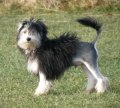
Så nærmer tiden sig for Löwchen-træffet :mrgreen:

Alle er velkomne, med eller uden Löwchen.. Der er frokost til 75 kr pr næse, forudbestilling nødvendigt.. Vi griller sammen om aftenen :-P

Træffet bliver holdt på Aså camping (den 29 august) hvor overnatning er muligt..

Der vil være konkurrencer for alle hunde, også dem som ikke er klippet i traditionel løveklip..

Så hank op i løven og/eller familien og kom og få en hyggelig dag/weekend. Deltag eller mød en løve for første gang og forelsk dig i racen :cool:

Mere om arrangementet her http://www.lions-of-denmark.dk/Invitation.htm

Join the conversation

You can post now and register later. If you have an account, sign in now to post with your account.

Gæst
Svar på dette emne...

Account

Navigation

Søg

Søg

Configure browser push notifications

Chrome (Android)
  1. Tap the lock icon next to the address bar.
  2. Tap Permissions → Notifications.
  3. Adjust your preference.
Chrome (Desktop)
  1. Click the padlock icon in the address bar.
  2. Select Site settings.
  3. Find Notifications and adjust your preference.