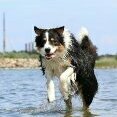
Besvaret Marts 19, 201016 år comment_337118 Jeps, så har vi været ud og købe ny sele til Møffe Må da lige vise den frem [ATTACH]23561[/ATTACH] [ATTACH]23562[/ATTACH] [ATTACH]23560[/ATTACH] OG så kom shopegenet op i min mor, så vi fik købt en masse guf til ham også - vi glemte bare at få købt noget legetøj til det stakkels kræ, der lige ødelagde sin yndlingsbold tidligere i dag Rapporter
Besvaret Marts 19, 201016 år Forfatter comment_337134 Tak! :kys: Hehe, Møffe fik faktisk gennemcharmet dem, der arbejder derude - så han fik både gratis godbidder og et griseøre Rapporter
Besvaret Marts 21, 201016 år comment_337863 Den del af selen jeg kan se for hår ser meget fin ud :blink: Hunden derimod Hold da op hvor er han bare blevet stor og dejlig Rapporter
Besvaret Marts 21, 201016 år comment_337881 han er så lækker og hvor ser han uskyldig ud:engel: Rapporter




Join the conversation
You can post now and register later. If you have an account, sign in now to post with your account.