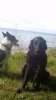
Besvaret Oktober 27, 201213 år comment_1066216 Hej - Hedder Camilla - mor til to ( eksklusiv hund og kat..) - social pædagog og faretruende tæt på 34 år!!!! Er forholdsvis nybagt indehaver af en border blanding (3/4 border - 1/4 husky); Luna fra den 29. juni. Vi bor i Faxe Ladeplads på syd Sjælland... Er jo helt ny på siden - men et ønskerne er - ud over at blive klogere - muligvis at kunne opbygge en form for netværk .. .. Glæder mig til at lære jer at kende Camilla. Rapporter
Besvaret Oktober 27, 201213 år comment_1066292 Hej Hej og Velkommen til, er også ny herinde:-) Rapporter
Besvaret Oktober 30, 201213 år comment_1067926 Hej Camilla Velkommen til Jeg har selv et par bordere:-D Rapporter




Join the conversation
You can post now and register later. If you have an account, sign in now to post with your account.